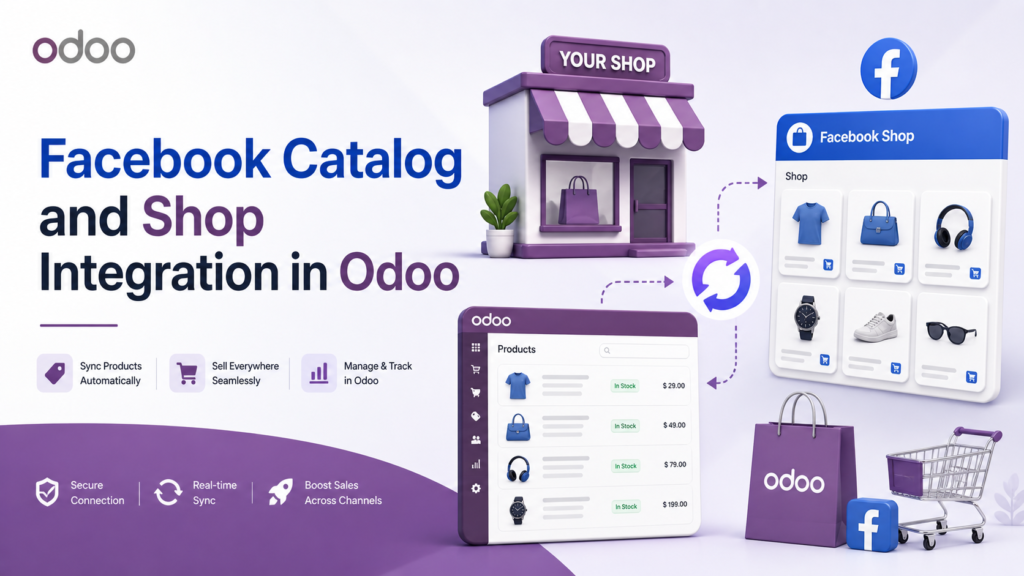

Today, many businesses sell their products not only on their website but also on social media platforms. Facebook Shop is one of the most popular ways to showcase products directly to customers on Facebook. Customers can browse products, view images, check prices, and learn more about items without leaving the platform.
But if you are already using Odoo to manage your products, inventory, prices, and sales, updating the same product details again on Facebook can become time-consuming. You may need to manually copy product names, prices, images, categories, and stock details. This can also lead to errors if product information is not properly updated.
Facebook Catalog and Shop Integration in Odoo helps solve this problem. It allows businesses to manage product data in Odoo and use that data for Facebook Catalog and Facebook Shop. This makes product management easier, faster, and more organized.
What is Facebook Catalog and Shop Integration in Odoo?
Facebook Catalog and Shop Integration in Odoo helps you prepare and manage your Facebook product catalog from Odoo. Instead of adding products one by one in Facebook Catalog Manager, you can use your Odoo product data and generate a product feed.
This feed can then be used in Facebook Catalog to display your products in Facebook Shop. It helps keep your product information more accurate and reduces the need for repeated manual work.
For example, if you sell clothes, electronics, accessories, furniture, or other products, you can manage them in Odoo and export them to the Facebook Shop.
Export Products from Odoo to Facebook Shop
One of the main benefits of this integration is that you can export products from Odoo to the Facebook Shop. This means you do not need to enter every product manually on Facebook.
Your product details, such as product name, price, description, image, availability, and category, can be prepared from Odoo. This is very useful when you have many products or product variants.
For example, if one product has different sizes or colors, managing all variants manually can be difficult. With Odoo, you can keep product and variant details in one place and prepare them for Facebook Catalog more easily.
Manage Facebook-Specific Product Fields
Facebook Catalog needs additional product details to display products properly. These may include product condition, brand, product link, image link, availability, and category.
With this Odoo integration, you can manage Facebook-specific fields directly inside Odoo. This helps your team keep all important product information ready before creating the feed.
You can also manage these fields at the product level and variant level. This gives better control when different variants need different details.
For example, a product may have different colors, and each color may have a different image or stock status. This integration helps you manage that information clearly.
Product and Variant Level Control
Many businesses sell products with variants. A single product can have different sizes, colors, models, or materials. In Facebook Shop, these details should be shown correctly so customers can understand what they are buying.
This integration allows you to manage catalog fields for both products and variants. It helps make your Facebook Catalog more complete and accurate.
For example, if you sell shoes, one design may come in many sizes. If you sell mobile covers, a single product may support multiple phone models. Variant-level control helps you manage this type of product data properly.
Map Google and Facebook Categories
Product category mapping is very important for Facebook Catalog. If your products are not added to the correct category, they may not appear properly or may not reach the right customers.
Facebook Catalog and Shop Integration in Odoo helps you map Google and Facebook categories with your products. This helps Facebook better understand your product type.
For example, fashion products, electronics, home items, and accessories should be placed in the appropriate categories. Proper category mapping improves product organization and helps customers find products more easily.
Generate Product Feeds in Different Formats
Facebook Catalog supports different feed formats. This integration helps you generate product feeds from Odoo in formats such as:
- CSV
- XML
- TSV
These formats are commonly used for product catalog uploads. You can choose the format based on your Facebook Catalog setup.
CSV is easy to use and simple to check. XML and TSV are also useful depending on your business needs. Since Odoo generates the feed, you do not need to prepare product files manually every time.
Automatic Feed Updates
Product details change often. Prices may change, stock may increase or decrease, new products may be added, and old products may be removed.
If your Facebook Shop is not updated, customers may see wrong prices or unavailable products. This can create confusion and affect customer trust.
With automatic feed updates, your Facebook Shop stays up to date with the latest product data from Odoo. This helps reduce manual checking and keeps your catalog more reliable.
For businesses with many products, this feature is very useful because it saves time and helps avoid outdated product information.
Manage Facebook Shop Settings in Odoo
This integration also lets you manage Facebook Shop settings in Odoo. You can set up key options for product feeds, catalog exports, feed formats, and other configuration details.
Having these settings in Odoo makes the process easier for your team. They do not need to manage product settings across multiple places repeatedly.
Everything can be handled from a single system, helping your business operate more efficiently.
View and Organize Product Catalogs Easily
A well-crafted product catalog helps customers better understand your products. Product names, prices, images, descriptions, and availability should be clear and up to date.
With the Facebook Catalog and Shop Integration in Odoo, users can easily view, update, and organize product catalog details. This helps businesses keep their Facebook Shop clean and professional.
Your team can check product details, update required fields, manage categories, and prepare catalog feeds directly from Odoo. This makes the whole process simple and easy to manage.
Copy and Use Feed URL
Another helpful feature is the feed URL. Once the product feed is generated, you can copy the feed URL and paste it into the Facebook Catalog Manager.
This makes product upload easier. Instead of downloading and uploading files repeatedly, Facebook can use the feed URL to read your product data.
This is useful for regular catalog updates. It helps Facebook get updated product information from Odoo and keeps your shop data up to date.
Why Businesses Should Use This Integration
Facebook Catalog and Shop Integration in Odoo is useful for businesses that want to sell products on Facebook without doing too much manual work.
It helps save time, reduce repeated data entry, and improve product data accuracy. It also helps marketing and sales teams manage Facebook Shop products more confidently.
If your business already uses Odoo for products, inventory, pricing, and sales, then connecting it with Facebook Shop can make your online selling process much easier.
Conclusion
Facebook Catalog and Shop Integration in Odoo is a helpful solution for businesses that want to manage Facebook Shop products from Odoo. It helps export products, manage Facebook-specific fields, handle product variants, map categories, generate feeds, and keep catalog data up to date.
With CSV, XML, and TSV feed options, automatic updates, easy feed URL usage, and product catalog control, this integration makes Facebook Shop management simple and useful for growing businesses.
Explore Devintellecs Facebook Catalog and Shop Integration app on the Odoo App Store to manage product feeds, connect Odoo products with Facebook Shop, and grow your online sales more easily.