
Introduction
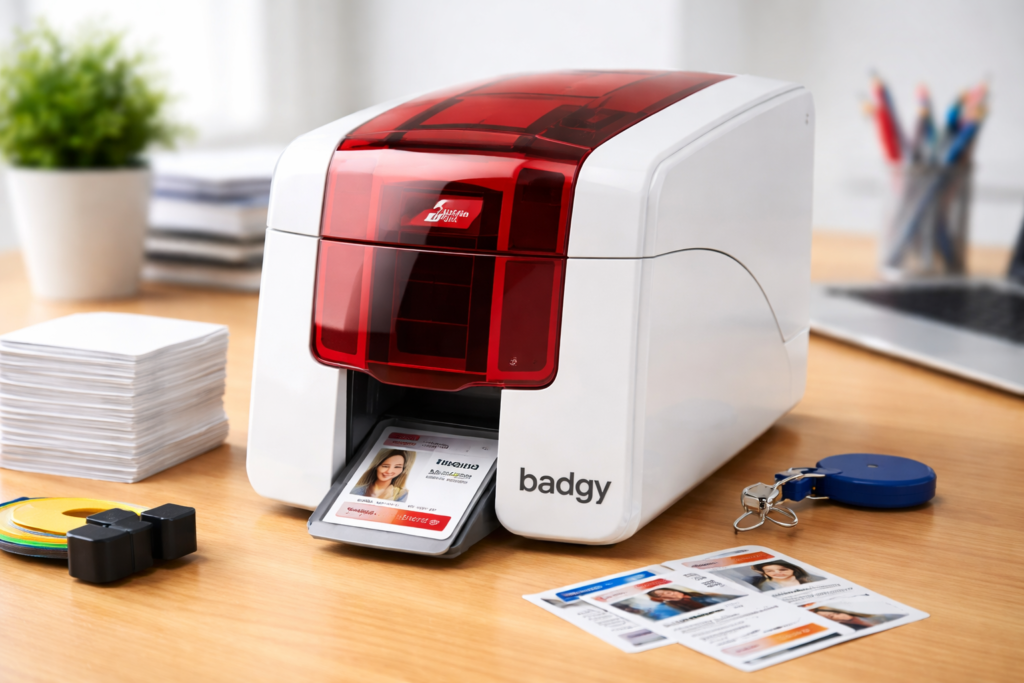
Investing in an ID card printer machine is a smart move for businesses, schools, healthcare facilities, and organizations that require secure and professional identification systems. However, simply purchasing an ID card printer is not enough—the way you set it up plays a crucial role in its performance, longevity, and print quality.
Whether you’ve purchased an ID card printer in Australia or elsewhere, proper setup ensures smooth operation, reduces maintenance issues, and helps you get the best return on your investment. In this guide, we’ll walk you through the essential steps to set up your ID card printer machine for long-term success.
Why Proper Setup Matters
Many users overlook the importance of correct installation and configuration. A poorly set up ID card printer machine can lead to:
- Poor print quality
- Frequent errors or card jams
- Increased maintenance costs
- Shortened equipment lifespan
On the other hand, a well-configured ID card printer delivers:
- Consistent, high-quality output
- Faster printing speeds
- Reduced downtime
- Better overall efficiency
Step 1: Choose the Right Location
The first step in setting up your ID card printer machine is selecting an appropriate location.
Ideal Environment Conditions
- Clean and dust-free area
- Stable, flat surface
- Moderate temperature (avoid extreme heat or humidity)
- Proper ventilation
Dust and environmental factors can affect print quality and damage internal components over time. This is especially important for businesses using ID card printers in Australia, where climate conditions may vary.
Step 2: Unbox and Inspect the Printer
Before installation, carefully unbox your ID card printer and inspect all components.
Check for:
- Printer unit
- Power cables
- USB or network cables
- Installation CD or software download instructions
- Starter ribbon and blank cards
Make sure everything is intact and matches the manufacturer’s specifications. If you’re sourcing from a trusted provider like Interact Card, you can expect complete and high-quality equipment.
Step 3: Install Drivers and Software
Your ID card printer machine requires compatible drivers and software to function properly.
Installation Process
- Connect the printer to your computer via USB or network
- Install the official drivers provided
- Download the latest updates from the manufacturer’s website
Why This Matters
Proper software installation allows you to:
- Design ID cards
- Manage print jobs
- Integrate with databases or employee systems
Modern ID card printers often come with user-friendly software that simplifies card design and printing.
Step 4: Load Cards and Ribbons Correctly
Incorrect loading is one of the most common causes of printing issues.
Best Practices
- Use high-quality PVC cards
- Ensure cards are clean and free from dust
- Load ribbons according to the manufacturer’s instructions
Using compatible consumables is critical for maintaining your ID card printer machine. Low-quality materials can damage the print head and reduce output quality.
Step 5: Configure Printer Settings
Once your hardware is ready, it’s time to configure the settings.
Key Settings to Adjust
- Print resolution (DPI)
- Color settings
- Card thickness
- Print alignment
Optimizing these settings ensures your ID card printer produces sharp, professional-looking cards every time.
Step 6: Perform Test Prints
Before starting full-scale printing, always run test prints.
Check for:
- Color accuracy
- Text clarity
- Alignment issues
- Smudges or streaks
Test printing helps identify potential problems early, allowing you to make adjustments before printing in bulk.
Step 7: Integrate with Your System
For businesses and organizations, integration is key to maximizing efficiency.
Integration Options
- Employee databases
- Visitor management systems
- Access control systems
A well-integrated ID card printer machine streamlines workflows and reduces manual data entry.
Step 8: Train Your Team
Even the best ID card printer won’t perform well if users don’t know how to operate it.
Training Should Cover:
- Basic printer operation
- Card design software
- Troubleshooting common issues
- Maintenance procedures
Proper training minimizes errors and ensures consistent results.
Step 9: Maintain Your ID Card Printer Machine
Regular maintenance is essential for long-term performance.
Maintenance Tips
- Clean the printer regularly
- Use cleaning kits recommended by the manufacturer
- Replace ribbons and parts when needed
- Keep firmware updated
Routine care extends the life of your ID card printer machine and maintains print quality.
Common Mistakes to Avoid
When setting up an ID card printer, avoid these common errors:
- Using low-quality cards or ribbons
- Skipping driver updates
- Ignoring maintenance
- Incorrect card loading
- Poor environmental conditions
Avoiding these mistakes ensures smooth operation and reduces costly repairs.
Why Choose Interact Card for ID Card Printers
When purchasing and setting up an ID card printer in Australia, choosing the right supplier makes a significant difference. Interact Card is a trusted provider offering complete card printing solutions.
Comprehensive Product Range
- Advanced ID card printer machines
- High-quality ID card printers
- Consumables like ribbons and blank cards
Expert Setup Support
Interact Card helps businesses:
- Select the right printer
- Install and configure systems
- Troubleshoot technical issues
Reliable and Durable Solutions
Their products are designed for:
- High performance
- Long-lasting durability
- Professional-grade output
Tailored Solutions for Businesses
Whether you’re a small business or a large enterprise, Interact Card provides customized solutions to meet your needs.
Benefits of a Well-Configured ID Card Printer
Setting up your ID card printer machine correctly offers several advantages:
- High-quality, professional ID cards
- Faster printing processes
- Reduced operational issues
- Lower maintenance costs
- Improved workflow efficiency
Future-Proofing Your ID Card Printing System
Modern ID card printers are evolving with advanced features such as:
- Smart card encoding
- Contactless technology
- Integration with cloud systems
By setting up your system properly today, you ensure it remains adaptable to future needs.
Conclusion
A successful setup is the foundation of a reliable and efficient ID card printer machine. From choosing the right environment to configuring settings and maintaining the system, every step plays a vital role in achieving professional results.
By investing in a high-quality ID card printer and partnering with experts like Interact Card, businesses can ensure smooth operations, enhanced security, and long-term success.