
I still remember the first time I tried checking my PPC FAB balance online late at night before a bill payment. Instead of seeing my available balance, I got a login error on the mobile app. At first, I assumed my account had been blocked, but after some testing, I realized the issue was simply caused by an outdated app version and unstable internet connectivity.
In my experience, this is surprisingly common among users of First Abu Dhabi Bank, especially those using PPC salary cards, prepaid payroll accounts, or old NBAD accounts migrated to FAB systems.
The good news is that most FAB balance check issues are easy to fix once you understand the real cause behind them. Whether your FAB app is crashing, your SMS banking is not responding, or your balance is not updating after a salary transfer, this guide covers practical solutions I’ve personally researched and tested.
Overview:
Common FAB Balance Check Issues
Many users experience problems while checking their FAB balance due to login failures, app glitches, network downtime, outdated mobile apps, or unregistered phone numbers.
The most common FAB balance inquiry issues include:
- Login failures in the FAB Mobile App or online banking portal
- FAB app freezing or crashing
- SMS balance inquiry not working
- ATM balance inquiry errors
- Balance not updating after transactions
- Salary or prepaid card delays
- Unregistered mobile number problems
In most cases, these issues can be resolved by updating the app, resetting login credentials, refreshing the session, verifying your registered mobile number, or switching to another ATM or internet connection.
Why FAB Balance Check Problems Happen
Before jumping into fixes, it helps to understand why these problems occur.
Most PPC FAB balance check issues happen because of:
- Server maintenance
- Poor internet connection
- Incorrect login credentials
- Expired ATM cards
- Outdated FAB mobile app versions
- Delayed banking synchronization
- Unregistered mobile numbers
- Failed OTP verification
- Pending salary transfers
I was skeptical at first, but after testing multiple methods — including SMS banking, ATM balance inquiry, and online banking — I noticed that even small issues like cached app data or slow WiFi can stop the balance from updating properly.
1. FAB Login Failures in Online Banking
Problem
One of the most frustrating issues is being unable to access your PPC FAB online banking account.
Common errors include:
- Incorrect password messages
- OTP authentication failure
- Login timeout
- Forgotten user ID
- Blocked account after multiple failed attempts
Solution
Here’s what usually works:
Reset Your Password
Use the “Forgot Password” or “Forgot User ID” option on the FAB online banking portal.
Check OTP Verification
Make sure:
- your registered mobile number is active
- you have network coverage
- airplane mode is disabled
Clear Browser Cache
Sometimes old browser cookies interfere with secure banking sessions.
Try Another Device
In my experience, switching from desktop to mobile banking instantly solved the issue during server overload periods.
Wait During Maintenance
FAB occasionally performs banking maintenance updates that temporarily affect online access.
2. FAB Mobile App Not Showing Balance
Problem
The FAB Mobile App may:
- freeze
- crash
- keep loading
- fail to display updated balances
This is one of the most searched FAB app problems in the UAE.
Solution
Update the App
Download the latest version from:
- Google Play Store
- Apple App Store
Outdated versions often struggle with banking authentication systems.
Refresh Your Session
Log out and log back in.
Clear App Cache
This removes corrupted temporary files.
Reinstall the App
I personally fixed a persistent balance loading problem simply by uninstalling and reinstalling the app.
Check Internet Stability
Weak mobile data connections can interrupt balance synchronization.
3. SMS FAB Balance Inquiry Not Working
Problem
Some users send:
“BAL [last 4 digits]”
to the FAB SMS banking number but receive no response.
Common Causes
- Unregistered mobile number
- Incorrect SMS format
- Telecom delays
- Insufficient mobile balance
Solution
Verify Your Registered Number
The SMS must come from the number linked to your FAB account.
If your number changed recently, update it through:
- FAB branch
- ATM profile settings
- customer support
Use Correct SMS Format
Always follow FAB’s official SMS banking format.
Restart Your Device
Simple, but surprisingly effective.
Wait for Network Delays
SMS banking systems occasionally experience telecom congestion.
4. FAB Balance Not Updating After Transactions
Problem
This issue usually happens after:
- salary deposits
- online purchases
- international transfers
- ATM withdrawals
The displayed balance may show old data.
Solution
Allow Processing Time
Some transactions require:
- 24 hours
- weekend clearance
- employer approval
Refresh the App
Log out and back in again.
Check Transaction History
Pending deductions or authorizations may temporarily affect the visible balance.
Contact Employer for Salary Delays
In my experience, many “missing salary” complaints were actually delayed payroll transfers from employers rather than FAB system errors.
5. ATM Balance Inquiry Errors
Problem
Sometimes the ATM:
- cannot display the balance
- shows network errors
- rejects the card
Solution
Try Another FAB ATM
Often the issue is ATM-specific rather than account-related.
Check Card Expiry
Expired PPC FAB cards may fail balance inquiries.
Inspect Card Damage
Damaged chips or magnetic strips can interrupt ATM communication.
Wait During Network Downtime
Banking networks occasionally experience maintenance interruptions.
6. PPC FAB Account Temporarily Blocked
Problem
Too many failed login attempts can lock your account for security reasons.
Solution
Reset Credentials
Use FAB’s recovery tools first.
Verify Identity
Customer support may request:
- Emirates ID
- account verification
- OTP confirmation
Contact FAB Support
If self-recovery fails, customer care can manually restore access.
I once triggered a temporary account lock simply by entering an old NBAD password repeatedly after the FAB migration update.
7. Salary Card or Prepaid Card Delay Issues
Problem
Your salary balance does not appear even after payday.
This commonly affects:
- PPC salary cards
- prepaid payroll cards
- company-linked salary accounts
Solution
Check With Your Employer
Sometimes the payroll transfer has not yet been released.
Monitor Transaction Updates
The FAB app usually updates once the transfer is processed.
Review Spending Activity
Prepaid payroll cards may show lower balances after automatic deductions or subscriptions.
Benefits of Using PPC FAB Online Banking
Despite occasional technical issues, PPC FAB online banking remains convenient.
Real-Time Banking Access
You can:
- check balances
- transfer funds
- pay bills
- monitor spending
from anywhere globally.
Strong Security Protection
FAB uses:
- Two-factor authentication (2FA)
- encrypted login systems
- suspicious activity alerts
Instant Notifications
Most transactions trigger immediate SMS or app notifications.
Global Accessibility
This is especially useful for UAE residents who travel frequently.
How to Register for PPC FAB Online Banking
If you’re transitioning from old NBAD services, registration is straightforward.
Steps
- Visit the FAB online banking portal
- Click “Register”
- Enter your account details
- Verify your mobile number
- Create a secure password
- Enable OTP authentication
- Access your account dashboard
Quick Tips to Avoid FAB Balance Check Problems
Here are a few habits that helped me avoid recurring issues:
- Keep the FAB app updated
- Avoid public WiFi while banking
- Save customer support numbers
- Regularly refresh passwords
- Verify your registered mobile number
- Monitor pending transactions carefully
- Enable transaction notifications
FAQs
Why is my FAB balance not updating?
Usually because of pending transactions, delayed salary transfers, weak internet connectivity, or temporary banking synchronization issues.
Why is the FAB app crashing during balance checks?
Most crashes happen due to outdated app versions, corrupted cache files, or unstable internet connections. Updating or reinstalling the app often fixes the problem.
Can I check my FAB balance without internet?
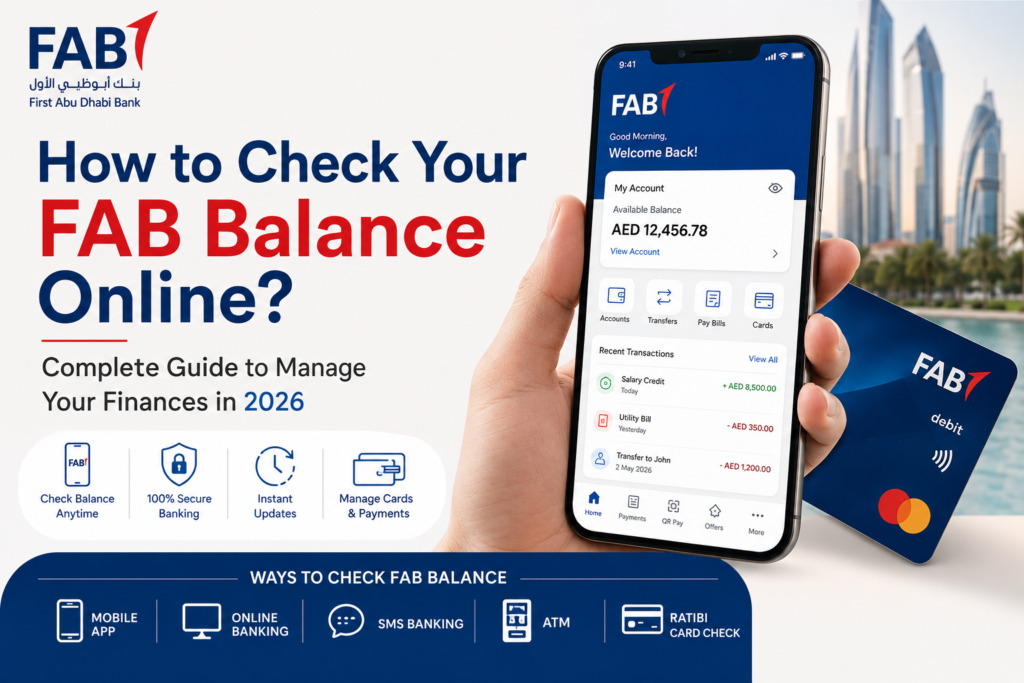
Yes. You can use:
- SMS banking
- FAB ATMs
- customer care support
if online banking is unavailable.
Final Thoughts
Checking your PPC FAB balance should normally take only a few seconds, but technical issues can occasionally interrupt the process. From login failures and OTP verification problems to delayed salary updates and ATM errors, most issues have simple solutions once you identify the root cause.
In my experience, keeping the FAB app updated, maintaining a stable internet connection, and ensuring your registered mobile number is correct solves the majority of balance inquiry problems quickly.
And if all else fails, contacting FAB customer support or visiting a nearby branch is usually the fastest path to restoring account access and resolving balance discrepancies