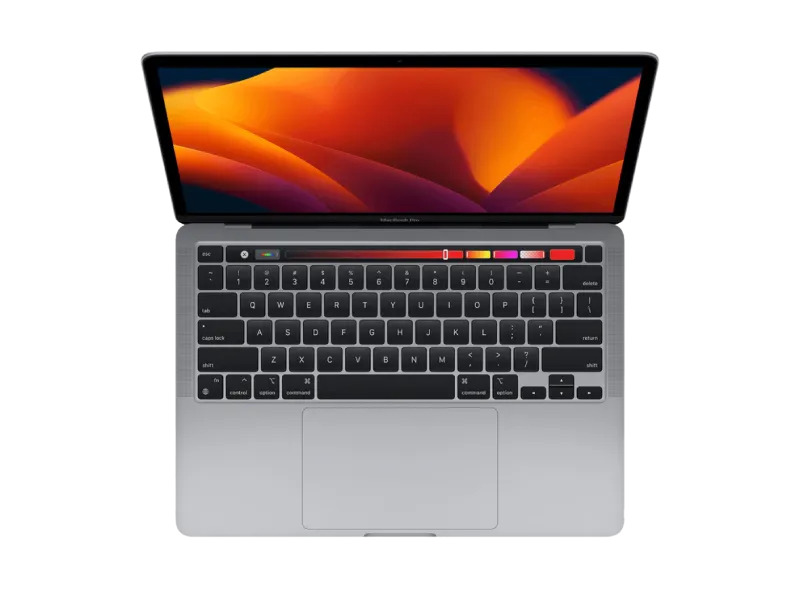

For professionals evaluating high-performance laptops, the question of whether M4 MacBooks are better for developers and designers is becoming increasingly important as modern workflows demand faster builds, smoother multitasking, and more reliable creative performance. Brands like ABCOM often emphasize how Apple’s latest silicon is reshaping both technical and creative industries by offering machines that are not only powerful but also energy efficient. The latest M4 MacBooks are built to handle complex workloads such as software compilation, UI/UX prototyping, video editing, and 3D rendering without slowing down, making them a strong contender for professionals who rely on speed and stability in their daily work.
Are M4 MacBooks good for software developers and UI/UX designers in 2026?
When analyzing whether M4 MacBooks are suitable for developers and designers, the focus shifts to real-world productivity rather than just specifications. Modern development environments like Xcode, Android Studio, and VS Code require fast processing and stable memory management, especially when handling large-scale applications.
For UI/UX designers working in Figma, Sketch, or Adobe XD, responsiveness and rendering smoothness are critical. The latest architecture helps reduce lag when working with multiple artboards, high-resolution assets, and interactive prototypes.
Key benefits include:
- Faster compilation times for large codebases in multiple frameworks
- Smooth performance when running design tools with heavy vector graphics
- Improved multitasking across browsers, IDEs, and testing environments
- Stable handling of large design systems and component libraries
- Better battery efficiency during long coding or design sessions
This makes them especially useful for professionals who switch frequently between development and design tasks.
M4 MacBooks performance for coding, app development, and creative workflows
One of the strongest reasons developers and designers consider M4 MacBooks is their ability to manage intensive workloads without overheating or performance drops. The unified memory architecture ensures that applications can share resources efficiently, reducing delays when switching between heavy software tools.
Developers working on full-stack applications benefit from faster build times, smoother emulator usage, and improved container performance when using tools like Docker. At the same time, designers gain from improved GPU performance that enhances rendering, animation playback, and real-time previews in creative applications.
Additional advantages include:
- Efficient handling of multiple virtual machines and testing environments
- Faster rendering in tools like Blender, After Effects, and Cinema 4D
- Reduced system noise, creating a distraction-free working environment
- Strong optimization for Apple ecosystem tools like Swift Playgrounds and Final Cut Pro
- Seamless integration between design mockups and development handoff processes
These improvements make everyday workflows significantly more efficient, especially for professionals managing tight deadlines and complex projects.
Who should choose M4 MacBooks for development and design work?
Not every user needs the highest-end configuration, but understanding the target audience helps in making the right decision. The latest generation of M4 MacBooks is especially beneficial for users whose work involves both creativity and technical execution.
Ideal users include:
- Full-stack developers working with multiple frameworks and cloud platforms
- Mobile app developers building iOS and cross-platform applications
- UI/UX designers managing interactive prototypes and design systems
- Freelancers handling client projects involving both coding and visual design
- Content creators combining animation, editing, and software development
For these users, the performance improvements translate directly into faster project completion and smoother multitasking across tools.
Final Verdict: Are M4 MacBooks better for professionals?
In conclusion, M4 MacBooks deliver a strong balance of performance, efficiency, and long-term usability, making them highly suitable for both developers and designers. While individual needs and budgets will always influence the final decision, these machines stand out as a reliable investment for modern workflows that demand speed and stability.
For anyone looking to upgrade their setup, the M4 MacBooks offer a future-ready platform that supports both advanced coding environments and high-end creative workflows. As a result, they continue to be one of the most practical choices for professionals seeking a powerful, all-in-one laptop solution in today’s fast-evolving tech landscape.