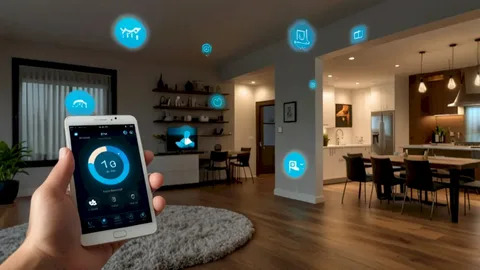

Smart home installation transforms a collection of devices into a coherent environment that improves comfort, security, and efficiency, and professional installations minimize frustration while maximizing long-term usability. A successful smart home installation balances user experience, privacy, network architecture, and flexible control so systems remain useful and maintainable for years. Planning the installation with realistic use cases, resilient networks, and clear commissioning procedures yields a home that feels reliably smart rather than intermittently connected.
Define Use Cases And Success Criteria Up Front
Begin a smart home installation by defining what “success” looks like for the household. Some families prioritize energy savings and seek HVAC and lighting automation that reduces utility bills. Others desire security and remote monitoring as their primary goal. Many want comfort routines such as morning wakeups, preconditioning before arrival, and evening scenes optimized for relaxation. Be explicit about who will use the system, how often, and what level of automation each household member expects. Success criteria frame technology choice, control architecture, and the extent of professional involvement required for installation and ongoing support.
Network Design As The Foundation Of Reliability
A resilient network underpins every smart home installation. Segmentation of IoT devices from primary user networks improves security and manages traffic, and a robust Wi-Fi mesh or business-grade access points reduce dropouts in dense homes. For larger properties, plan wired backbones with PoE switches for cameras and access points to ensure predictable bandwidth and uptime. Ensure that remote access adheres to secure tunneling practices and that local control options exist to preserve core automations during internet outages. Network documentation, including SSIDs, passwords, and VLAN mapping, is a critical deliverable from the installer.
Choosing Platforms: Cloud, Local, Or Hybrid
Platform choice affects privacy, resiliency, and feature sets. Cloud-first platforms provide simple remote access and quick device onboarding, but risk service interruptions or feature removal. Local-first platforms keep core automations inside the home and reduce reliance on vendor clouds, while hybrid approaches allow cloud for convenience but run critical automations locally. Assess each platform’s approach to data retention, encryption, and firmware update policies. Choose platforms that align with household preferences for privacy and maintenance.
Device Selection: Prioritize Interoperability And Longevity
Device selection should focus on interoperability, support for common standards, and known long-term support paths. Favor devices that support open or common ecosystems to reduce vendor lock-in, and prefer devices with local control options for privacy-sensitive functions. Assess the vendor’s history of firmware support and longevity; devices that lose support can quickly degrade a smart home’s usefulness. For high-impact devices such as locks, thermostats, and cameras, choose models with proven reliability because these devices form the backbone of frequent interactions.
Control Interfaces And User Experience Design
A smart home must be simple for people to use. Map out typical user journeys and design control interfaces that fit those journeys. Wall keypads or touchscreen panels provide reliable shared controls, while mobile apps and voice assistants cater to personal preferences. Keep interfaces consistent and avoid duplicative functions that confuse users. Provide clear labeling on physical controls and use scenes that align with everyday language rather than vendor jargon. For multi-occupant homes, consider profiles, access control, and guest modes that manage complexity while preserving privacy.
Security And Access Control Best Practices
Smart home installation should be approached with a security-first mindset. Use unique credentials for each cloud service, enable two-factor authentication where available, and segment IoT traffic to minimize lateral movement in case of compromise. For locks and cameras, verify encryption in transit and at rest, and consider local recording for privacy-sensitive footage. Educate occupants on password management and set clear policies for granting or revoking access to guests, contractors, and third parties.
Integrating Lighting, Shades, Climate, And Security
Integration multiplies value. When lights, shades, climate systems, and security systems share context, they can orchestrate scenes that improve comfort and efficiency. For example, an “Away” scene can lock doors, lower shades, reduce HVAC setpoints, and arm security sensors. Integrations should be explicit and predictable so occupants always know what to expect. Where possible, use occupancy and geo-fencing sparingly to avoid unnecessary automations that may feel intrusive. Test combined scenes and edge cases thoroughly during commissioning.
Voice Assistants: Useful Interface, Not Primary Brain
Voice assistants provide convenient access but should not be the only control pathway. Voice is limited in multi-occupant environments and can unintentionally trigger actions. Use voice for common commands like lighting toggles or media control, while relying on local scenes and physical keypads for safety-critical or frequently used automations. Ensure voice interfaces are configured to respect privacy settings and that voice control behavior is consistent across rooms and devices.
Prewiring, Conduit Planning, And Infrastructure
For new builds or serious renovations, prewiring and conduit planning are investments that pay dividends. Prewire for speakers, Ethernet drops, control wiring for shades and blinds, and power for cameras and access points. Conduits make future upgrades non-destructive and allow installers to add new devices without cutting into finished surfaces. Document planned pathways and leave service loops for future device replacements or additions. Proper infrastructure planning makes a smart home adaptable and reduces total lifecycle costs.
Commissioning: The Critical Handover Stage
Commissioning turns an installed smart home into a working environment. Verify device placement and response, align scenes with user expectations, and test failover scenarios like network outages and power interruptions. Use commissioning to document automations, passwords, backup procedures, and maintenance suggestions. Provide hands-on training for household members and create a short quick-start guide for daily use. Commissioning is not a final step but an iterative process that benefits from a follow-up tuning window after the home has lived with automations for a short period.
Privacy, Data Ownership, And Cloud Considerations
Understand how each cloud service handles data. Some consumer services store detailed logs that may include presence data and device interactions. Where privacy is a priority, prefer local logging or vendors committed to minimal data retention. Have explicit agreements with installers about access to systems for remote support and document what level of remote control they will have. For families, discuss policies about shared access to cameras, geolocation, and usage analytics to prevent surprises.
Energy Management And Smart Scheduling
Smart home installation often includes energy management objectives. Use smart thermostats, smart plugs, and energy monitoring to identify waste and apply automation that reduces idle energy use. Schedule heavy-load tasks like EV charging or pool heating for off-peak hours where possible, and integrate with solar generation systems to shift loads to times of higher local generation. Use trend data to refine schedules and to set realistic expectations about savings; energy outcomes improve when occupants accept small behavioral changes guided by automation.
Backup And Redundancy Strategies For Critical Functions
For critical systems like locks and HVAC controls, provide redundancy. Ensure manual overrides for locks and local thermostat controls so the house remains livable during outages. Consider redundant internet connectivity for remote monitoring where continuous access is required, or local automation that tolerates cloud loss gracefully. A robust smart home balances convenience with graceful degradation, so when cloud or internet services fail, the household still enjoys essential functionality.
Professional Versus DIY Installations
DIY installations are a great way to get started, but professionally installed smart homes typically offer superior long-term reliability, cleaner wiring, and better commissioning. Professionals can plan networks, integrate systems with minimal latency, and provide documentation and warranty support. For homeowners comfortable with technology, a hybrid approach where professionals handle infrastructure and critical systems while DIY handles lifestyle add-ons can be cost-effective and flexible.
Maintenance And Ongoing Support Plans
Plan for firmware updates, security audits, and occasional recalibration. Offer or subscribe to a managed service plan that covers remote monitoring, regular updates, and quick on-site response for emergencies. Document device warranties and maintain an inventory so replacement parts can be ordered quickly. Ongoing care ensures the smart home remains secure, efficient, and aligned with occupant needs over time.
Accessibility And Inclusive Design
Design smart home installations with accessibility in mind. Provide voice and keypad alternatives for those with limited mobility, ensure touchscreens and keypads are mounted at usable heights, and create accessible scenes that simplify complex routines into single actions. Accessibility should be considered from the start rather than retrofitted; inclusive design increases the value of a smart home for multi-generational households.
Testing And Iteration After Occupancy
After the initial commissioning, gather occupant feedback during the first few weeks and plan scheduled tuning sessions to refine automations. Adjust sensor sensitivity, modify scenes that are not used, and document any manual workarounds homeowners develop; these are often signals that the automation needs to be simplified. Iteration after occupancy is the pathway to a home that feels intuitively smart and matches real daily behavior.
Future Proofing And Upgrade Paths
Build upgrade paths into the installation so future feature sets can be adopted without major rewiring. Use modular controllers, reserve conduit, and choose platforms with open APIs where possible. Anticipate new standards and ensure the installation leaves room for replacing hubs, adding new sensors, or migrating to new interoperability standards like Matter. A future-aware installation reduces refresh costs and preserves homeowner investment.
Selecting The Right Installer And Contracting For Success
Select an installer who demonstrates a clear process: needs assessment, network survey, infrastructure plan, device selection, commissioning, documentation, and follow-up support. Avoid vendors who cannot demonstrate their network competency or who lock systems behind proprietary services without exportable configurations. Clear contracts with defined deliverables and testing criteria reduce ambiguity and make success measurable.
Final Thoughts On Smart Home Installation
Smart home installation is as much about process as it is about products. Thoughtful planning, resilient networks, privacy-minded platform choices, and rigorous commissioning produce a home that is reliable, private, and genuinely helpful. Treat the installation as a multi-phase project with documentation and maintenance as first-class deliverables, and the result will be a living environment that feels intelligently curated and easy to live with for years to come.