
In today’s world, everything we do online leaves a digital footprint. From the websites you visit to the things you buy, someone is always watching. For readers of The Urban Magazine, staying safe while navigating the digital city is just as important as staying safe on the streets.
Secure browsing isn’t just for tech experts anymore; it is a necessity for everyone. To help you protect your personal data, we have tested and rounded up the best privacy apps for 2025.
Why You Need Privacy Apps Now
Many people think that “Incognito Mode” is enough to keep them hidden. Unfortunately, that is not true. Your Internet Service Provider (ISP), advertisers, and even some websites can still see what you are doing.
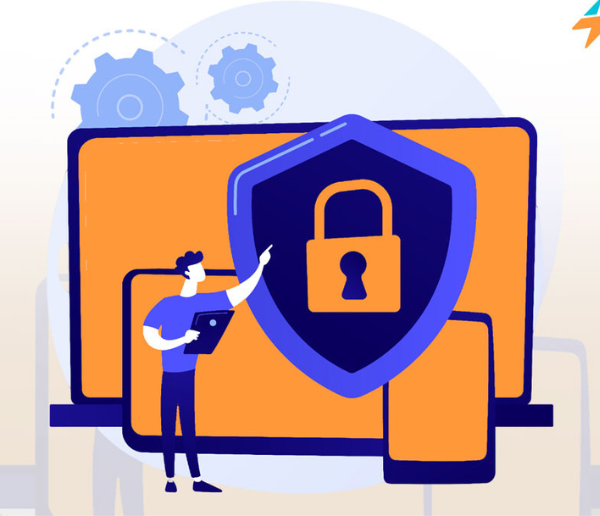
Privacy apps act like a digital shield. They block trackers, hide your location (IP address), and encrypt your data so that hackers and data brokers cannot read it.
1. Brave Browser: The Best All-in-One Choice
If you want a simple way to stay private without changing how you use the internet, Brave is our top pick.
-
How it works: Brave automatically blocks ads and trackers the moment you open it. It is built on the same system as Google Chrome, so all your favorite websites will look and work exactly the same.
-
Key Benefit: It makes pages load faster because it doesn’t have to download heavy ads. Plus, it has a built-in “Tor” mode for when you need extra anonymity.
2. DuckDuckGo: Privacy Made Simple
You might know DuckDuckGo as a search engine, but their mobile app and desktop browser are excellent for secure browsing.
-
The “Fire” Button: This is their best feature. With one tap, you can “burn” all your open tabs and browsing history instantly.
-
Privacy Grades: The app gives every website you visit a grade (A through F) based on how much they try to track you. It’s a great way to see which sites are actually respecting your data.
3. NordVPN: The Ultimate Security Layer
A browser blocks trackers, but a Virtual Private Network (VPN) hides your entire connection. NordVPN is widely considered the gold standard for 2025.
-
Security: It masks your IP address so no one knows where you are browsing from. This is especially important if you use public Wi-Fi at coffee shops or airports.
-
Ease of Use: It features a “Quick Connect” button that finds the best server for you in seconds.
4. Signal: For Private Conversations
Secure browsing isn’t just about websites; it’s about how you talk to people. While not a browser, Signal is a must-have privacy app for your phone.
-
Encryption: It uses “end-to-end encryption,” meaning only you and the person you are messaging can read the chat. Not even the company behind Signal can see your messages.
-
Urban Pro Tip: Use Signal to send sensitive documents or passwords to friends and family instead of using standard text messages.
5. Onion Browser (Tor): For Maximum Anonymity
If you are a journalist, activist, or someone who needs the highest level of privacy, the Tor Browser (or Onion Browser on mobile) is the tool you need.
-
How it works: It bounces your connection through three different servers around the world. This makes it almost impossible for anyone to trace your activity back to you.
-
Note: Because it is so secure, it can be a bit slower than Brave or DuckDuckGo.
Comparison Table: Which App Should You Choose?
| App | Best For | Ease of Use |
| Brave | Everyday browsing with no ads | Very Easy |
| DuckDuckGo | Quickly clearing your history | Very Easy |
| NordVPN | Staying safe on public Wi-Fi | Easy |
| Signal | Secure messaging | Easy |
| Tor | Total anonymity | Advanced |
Final Thoughts from The Urban Magazine
Choosing the right privacy tools is the first step toward digital freedom. You don’t need to be a computer genius to stay safe; you just need the right apps. We recommend starting with Brave for your daily browsing and adding a VPN like NordVPN for an extra layer of protection.
Stay safe, stay private, and keep exploring the web on your own terms.