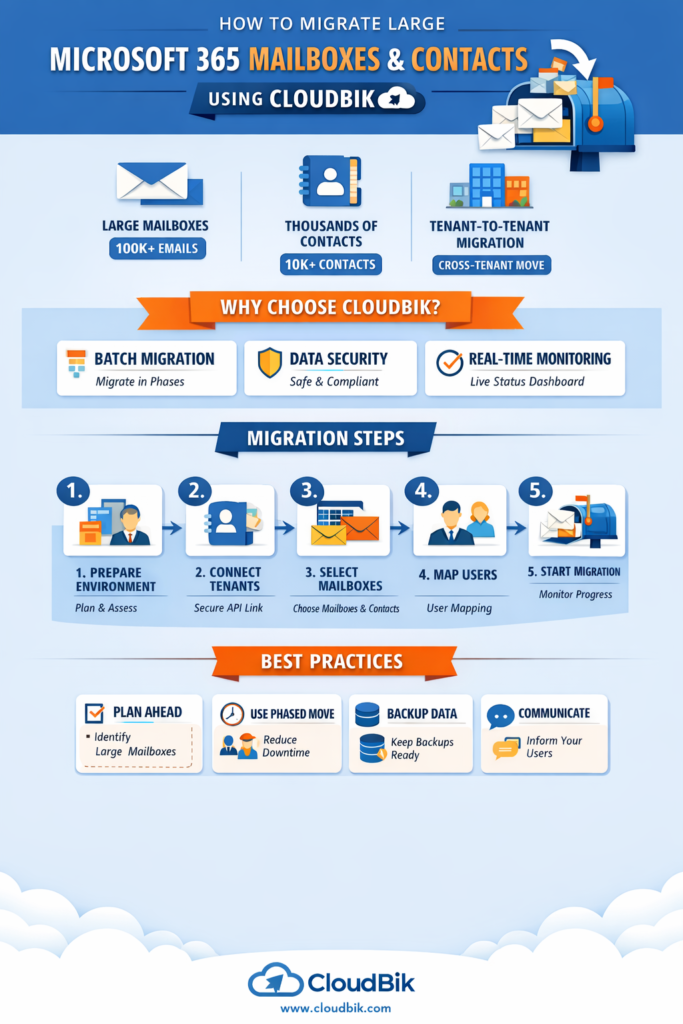

Migrating Microsoft 365 mailboxes between tenants can be a daunting task, especially when dealing with large mailboxes or thousands of contacts. Whether your organization is undergoing a merger, divestment, or domain rebranding, ensuring a smooth, secure, and minimal downtime migration is crucial. This is where CloudBik comes in—a purpose-built tool for tenant-to-tenant (T2T) and cross-tenant migrations.
In this article, we’ll guide you on how to migrate large Microsoft 365 mailboxes and contacts using CloudBik, highlighting best practices, common challenges, and how CloudBik solves them efficiently.
Understanding the Challenges of Large Mailbox Migration
Migrating a single mailbox is straightforward, but things get tricky when mailboxes contain:
- 100,000+ emails
- Thousands of contacts including the Recipient Cache
- Complex folder hierarchies
- Shared calendars and permissions
Common issues IT admins face during tenant-to-tenant migrations include:
- Data loss during migration
- Long downtime affecting user productivity
- Profile and Autodiscover conflicts in Outlook
- Throttling errors when migrating large folders
Without the right tool, moving such heavy workloads can take weeks of manual effort, cause frustration among end users, and increase the risk of errors.
Why CloudBik is Ideal for Large Mailbox Migrations
CloudBik is a specialized Microsoft 365 migration solution designed to handle tenant-to-tenant migrations, including mailboxes, contacts, OneDrive, SharePoint, and Teams. Here’s why CloudBik stands out:
- Handles Large Mailboxes and Contacts: CloudBik migrates heavy mailboxes and tens of thousands of contacts efficiently without stalling or errors.
- Secure and Compliant: Uses Microsoft-approved APIs, ensuring your data never leaves Microsoft 365.
- Supports Phased or Batch Migration: Allows admins to migrate mailboxes in stages to reduce downtime and simplify verification.
- Real-Time Monitoring: CloudBik provides a migration dashboard to track progress and identify issues instantly.
- Minimal User Disruption: End users can continue working in Outlook, Teams, or OWA while the migration is in progress.
By leveraging CloudBik, organizations can confidently perform cross-tenant or tenant-to-tenant migrations, even with complex environments or large workloads.
Step-by-Step Guide to Migrating Large Mailboxes with CloudBik
Step 1: Prepare Your Environment
- Identify source and target tenants.
- Ensure proper licenses and domains are configured in the target tenant.
- Communicate the migration plan to users to avoid confusion.
Step 2: Connect Tenants Securely
CloudBik connects both source and target Microsoft 365 tenants using secure APIs. Credentials are never stored, ensuring compliance and security.
Step 3: Select Mailboxes and Workloads
Choose the mailboxes to migrate. For large mailboxes, you can:
- Migrate in batches or stages
- Include contacts, calendars, and mailbox folders
- Decide whether to include shared mailboxes or delegate permissions
Step 4: Map Users Between Tenants
Map source users to their corresponding target accounts. CloudBik ensures that:
- All data lands in the correct mailbox
- Folder structure, permissions, and metadata are preserved
Step 5: Start Migration and Monitor Progress
- CloudBik handles the migration in the background, optimizing transfer speed while respecting Microsoft 365 throttling limits.
- Use the real-time dashboard to track which mailboxes are complete, in progress, or need attention.
Step 6: Validate and Finalize
- Verify migrated mailboxes and contacts in OWA or Outlook.
- Recreate Outlook profiles if needed to resolve Autodiscover caching issues.
- Decommission or archive the source tenant if the migration is successful.
Best Practices for Large Tenant-to-Tenant Mailbox Migration
- Plan Ahead: Identify large mailboxes, shared resources, and critical users.
- Use Phased Migration: Avoid migrating all users at once to reduce risk.
- Backup Critical Data: Even though CloudBik is secure, always maintain a backup.
- Communicate with Users: Inform users about what to expect and minimal interruptions.
- Monitor and Troubleshoot: Use CloudBik’s dashboard to address throttling or errors proactively.
Conclusion
Migrating large Microsoft 365 mailboxes and contacts doesn’t have to be stressful. With CloudBik, you get a reliable, secure, and efficient solution for tenant-to-tenant and cross-tenant migrations. Whether you’re dealing with tens of thousands of contacts, complex mailboxes, or multiple workloads like OneDrive, SharePoint, and Teams, CloudBik simplifies the process and ensures zero data loss and minimal downtime.
For IT admins and organizations looking for a stress-free migration experience, CloudBik is the trusted tool for Microsoft 365 mailbox migration, cross-tenant migration, and T2T projects.
🔗 Learn more about CloudBik Microsoft 365 Migration Services:
https://www.cloudbik.com